Developer UI Kit Pro · v1.0.0
14 Flutter screens.35 widgets.Yours to ship.
A Flutter UI kit delivered as plain Dart source code: light and dark themes, responsive layouts and charts drawn without a chart library. Drop it into your app, connect the callbacks to your backend and start from finished screens.
One-time purchase from $39.99. Delivered as a ZIP via Gumroad.
- flutter
- ≥ 3.47
- runtime deps
- 0
- tests
- 138 passing
- themes
- light + dark
01 Screens
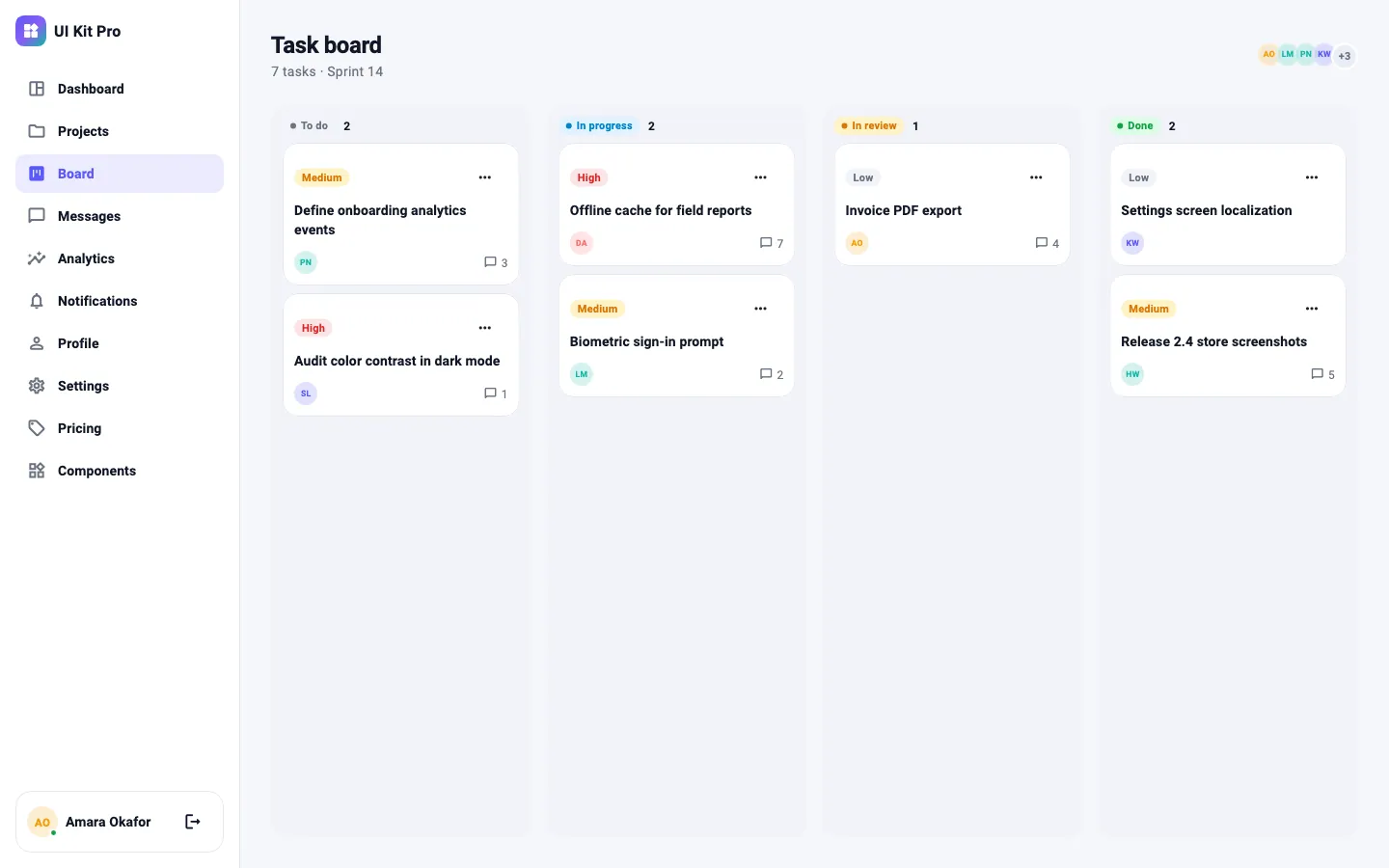
Every screen is a finished, working widget — not a picture of one.
Auth & onboarding
Workspace
Account
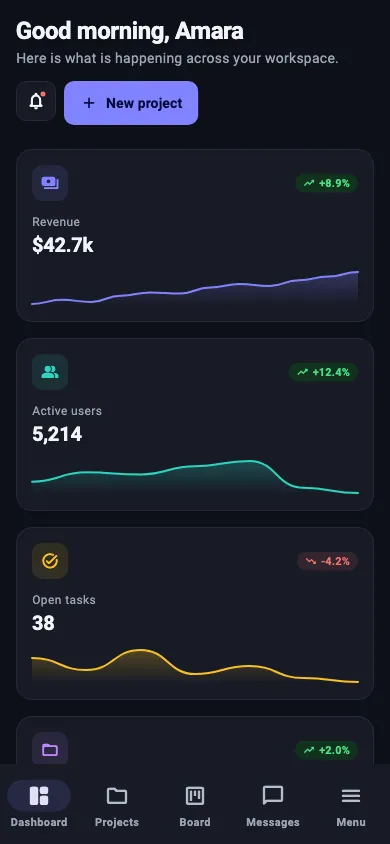
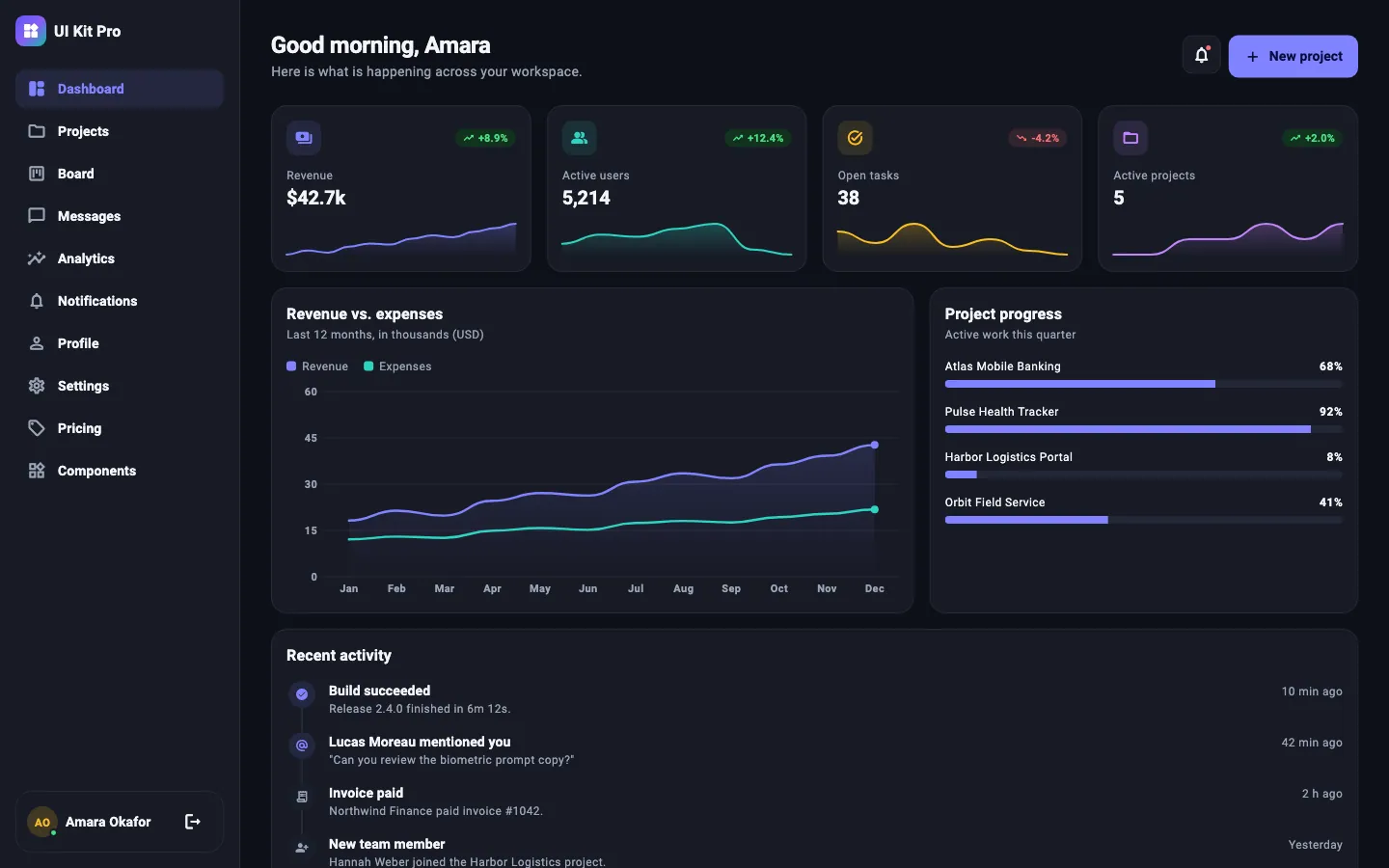
Dashboard. KPI cards with sparklines, a revenue chart, project progress and activity.
DukDashboardScreen02 Components
35 components with documented APIs.
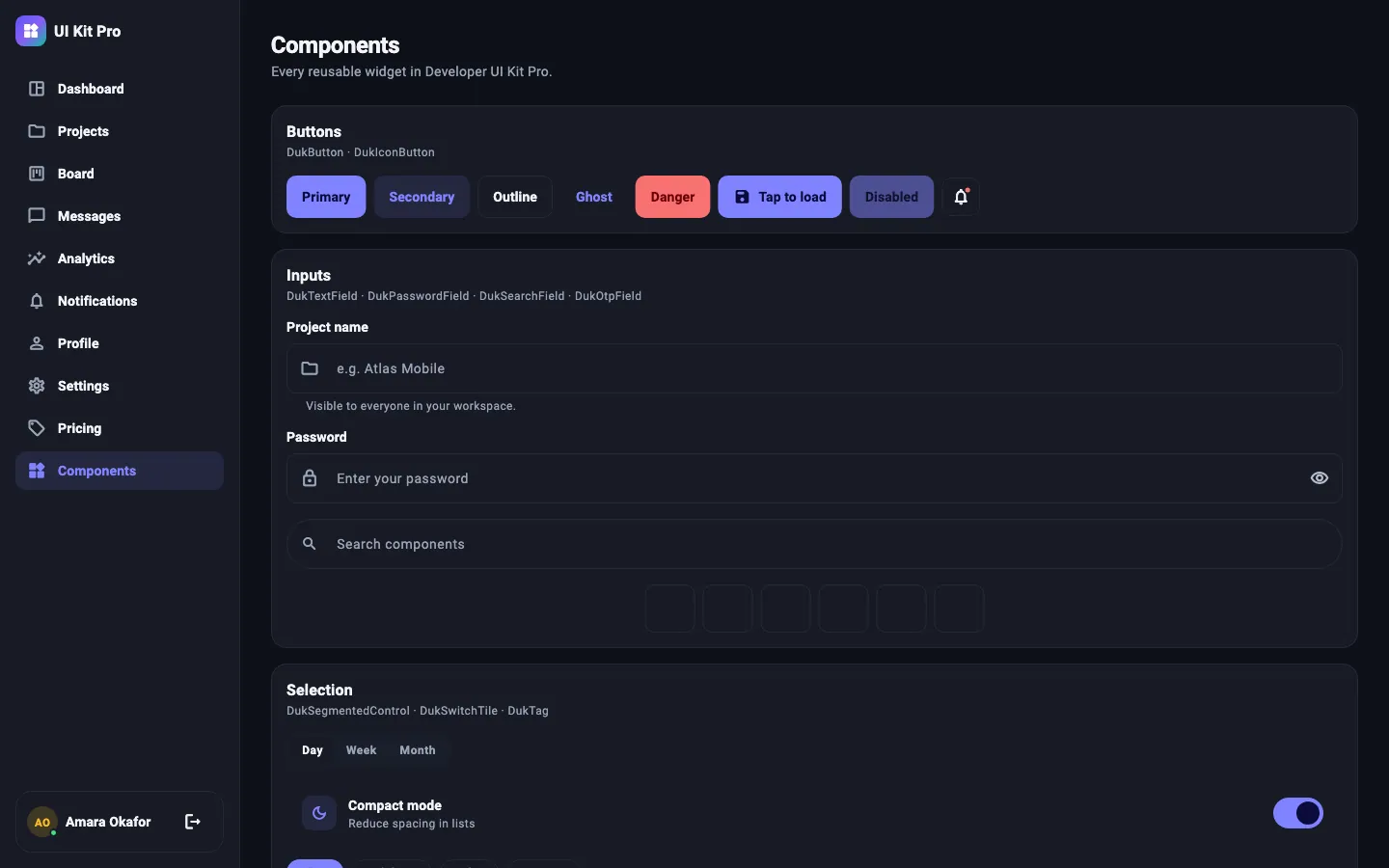
Actions2
- DukButton
- DukIconButton
Inputs6
- DukTextField
- DukPasswordField
- DukSearchField
- DukOtpField
- DukSwitchTile
- DukSegmentedControl
Display12
- DukCard
- DukStatCard
- DukBadge
- DukTag
- DukAvatar
- DukAvatarStack
- DukSectionHeader
- DukDividerWithLabel
- DukEmptyState
- DukTimeline
- DukStepIndicator
- DukPricingCard
Feedback5
- DukAlertBanner
- showDukToast
- DukProgressBar
- DukProgressRing
- DukSkeleton
Charts5
- DukSparkline
- DukLineChart
- DukBarChart
- DukDonutChart
- DukChartLegend
Layout6
- DukResponsiveScaffold
- DukResponsiveGrid
- DukPageHeader
- DukPageBody
- DukAuthLayout
- DukLogoMark
Plus DukValidators for email, password and required fields. Charts are drawn with CustomPainter and expose a semantic summary for screen readers.
03 Themes
Light and dark, from one seed color.
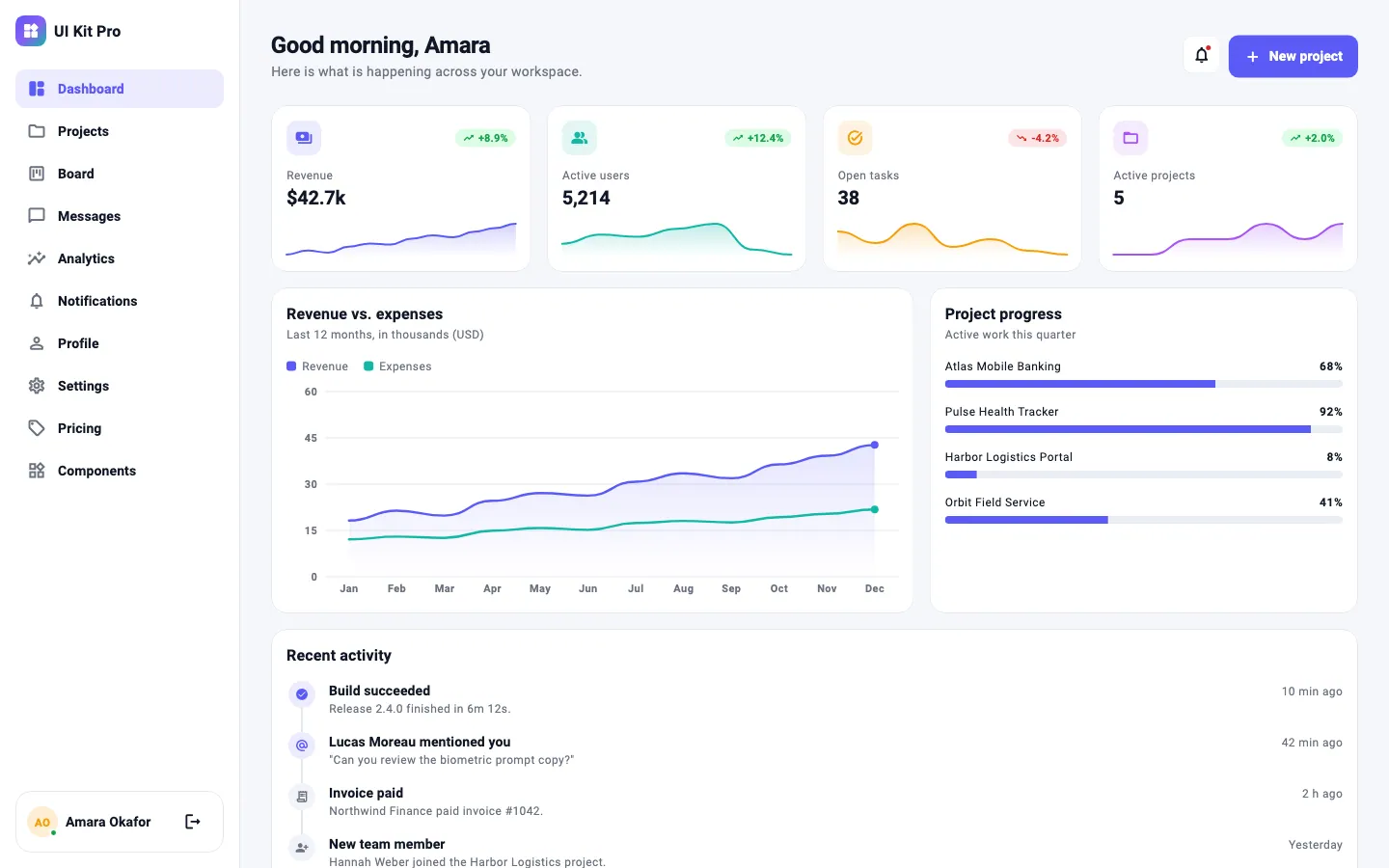
Drag the divider, or focus it and use the arrow keys.
import 'package:developer_ui_kit_pro/developer_ui_kit_pro.dart';

MaterialApp(
  theme: DukTheme.light(),
  darkTheme: DukTheme.dark(),
  themeMode: ThemeMode.system,
  home: const HomePage(),
);
// Re-brand with one color
MaterialApp(
theme: DukTheme.light(seed: const Color(0xFF0F766E)),
darkTheme: DukTheme.dark(seed: const Color(0xFF0F766E)),
);04 Responsive
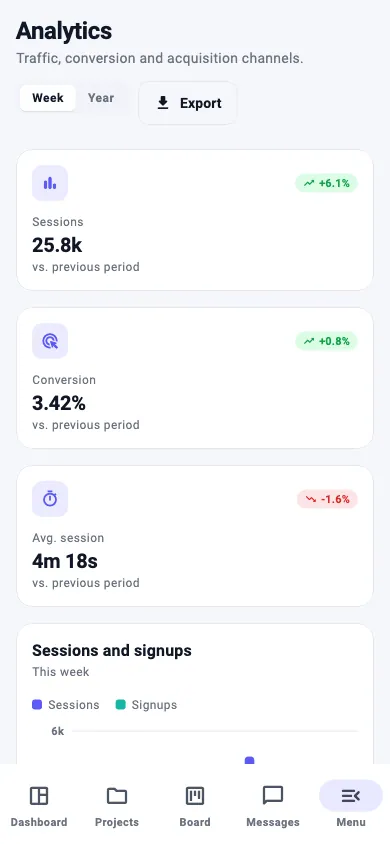
One layout system from phones to wide desktops.
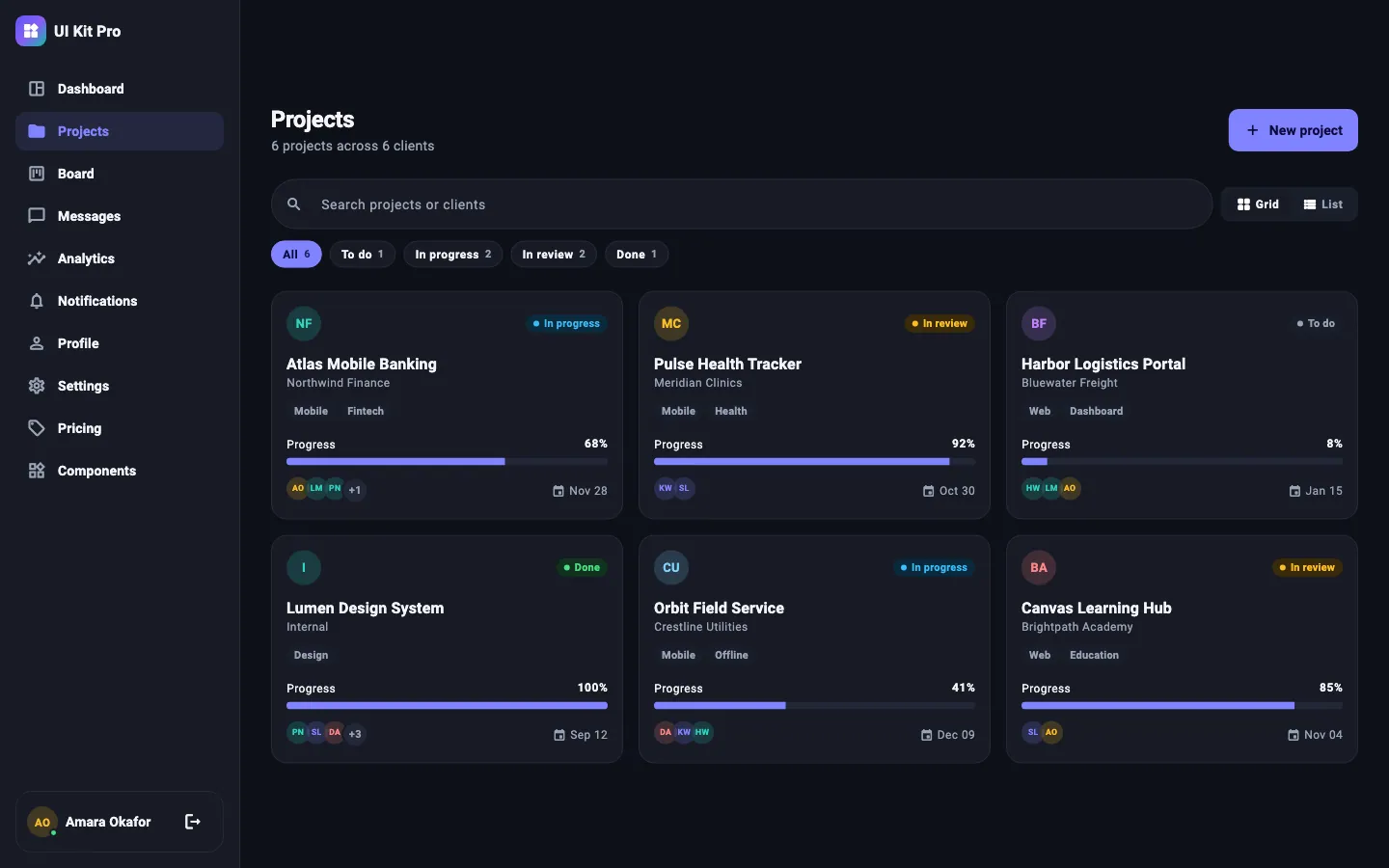
DukResponsiveScaffold switches navigation by width. The automated tests render every screen at 390×844, 820×1180 and 1440×960 in both themes and fail on any layout overflow.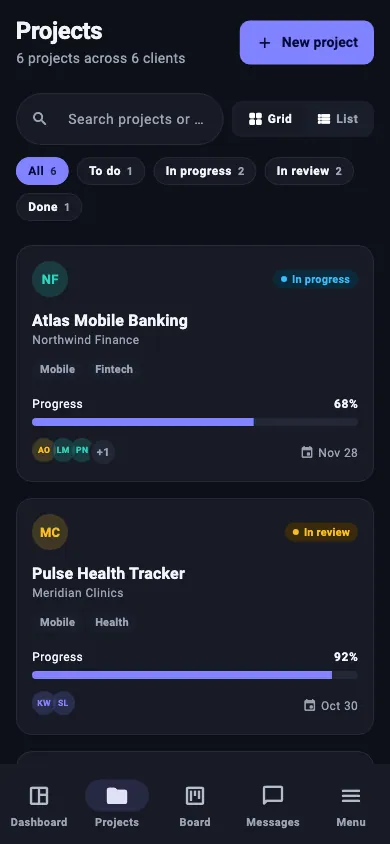
- compact · < 600 px
- Bottom navigation bar (first five destinations)
- medium · 600 – 1023 px
- Navigation rail
- expanded · ≥ 1024 px
- Labelled sidebar
05 Developer experience
Ordinary Flutter code you can read, change and test.
DukSignInScreen(
  onSignIn: (email, password) async {
    await myAuth.signIn(email, password); // throw to show an error banner
  },
  onForgotPassword: () => Navigator.of(context).pushNamed('/forgot'),
);
# run the showcase app
cd developer_ui_kit_pro/example
flutter pub get
flutter run -d chrome # or -d macos, or a connected device- Fits your shellWorkspace screens have no Scaffold, so they sit inside your own navigation.
- Your data, your backendMap API models to the lightweight Duk* models, or copy a screen into your app and edit it. Sample data is fictional.
- Async-aware formsAuth screens validate first, show a loading state, and display your exception in an error banner.
- Tokens, not magic numbersDukSpacing, DukRadius and DukBreakpoints keep spacing and layout consistent.
- Checkedflutter analyze reports no issues. 132 package tests and 6 example-app tests pass on Flutter 3.47.6.
06 What you download
One ZIP, one license certificate.
- DeveloperUIKitPro-1.0.0/
- ├─ START_HERE.md# first steps
- ├─ LICENSE-CERTIFICATE.md / .pdf# your seats + update period
- ├─ screenshots/# 60 PNG renders
- └─ developer_ui_kit_pro/# the Flutter package
- ├─ lib/src/theme/# DukTheme, tokens, semantic colors
- ├─ lib/src/components/# buttons, inputs, display, charts
- ├─ lib/src/layout/# responsive scaffold, grid, page shells
- ├─ lib/src/screens/# 14 screens
- ├─ lib/src/data/# models + fictional sample data
- ├─ test/# 132 tests
- ├─ example/# showcase app + 6 tests + screenshot script
- ├─ docs/# getting started, theming, components, screens, updates
- └─ CHANGELOG.md · LICENSE.md · README.md
07 Pricing
Pay once. Choose seats and how long you get new versions.
Every package includes
- Every version you receive stays yours to use, permanently
- Unlimited apps and client projects within the license terms
- Instant download from Gumroad: source ZIP + license certificate PDF
Your package
12 months of updates · 1 developer
$79.99USD
One-time payment. Not a subscription — you are never charged again.
- Seats
- 1 developer
- Updates
- 12 months of releases
- License
- permanent
- Delivery
- instant via Gumroad
Opens Gumroad's secure checkout for “Developer UI Kit Pro — 12 Months — 1 Developer”. Gumroad processes the payment and delivers the files. View on Gumroad
Compare all 12 packages
| Updates | 1 developer | 2 developers | 3 developers | 4 developers |
|---|---|---|---|---|
| 3 months | ||||
| 6 months | ||||
| 12 months |
Prefer a shareable link? Open the pricing page.
08 License
A license written for how developers actually work.
You may
- Use the kit in unlimited apps and client projects, commercial or not
- Modify it in any way
- Ship it compiled inside your apps
- Keep using every version you receive, permanently
You may not
- Let more people work with the source than you have seats
- Resell, share or redistribute the kit, or publish it as a UI kit, template or library
- Publish the source in a public repository or on pub.dev
When updates end
- Nothing is disabled or revoked
- You keep all versions you received
- Later versions are not included; buy a new package if you want them
09 FAQ
Questions before you buy.
Is this a subscription?
What happens when my update period ends?
How are updates delivered?
What counts as a developer seat?
Can I use it in client projects and commercial apps?
Which Flutter version do I need?
Which platforms does it support?
Start your next Flutter app from finished screens.
12 months of updates for 1 developer: $79.99, once. Other seat counts and update periods start at $39.99.